

Prerequisites
- Install PMG using the quickstart, or deploy it with your MDM on a macOS, Linux, or Windows fleet
- Have a SafeDep Cloud tenant ID and API key (see Cloud quickstart)
Enable cloud sync
1
Run the PMG setup installer
Example output
2
Enable cloud sync in the PMG config
3
Login to SafeDep Cloud
4
Sync to SafeDep Cloud
With cloud sync enabled, PMG syncs automatically as you use it (see Automatic sync below). To push local activity immediately, run:
Automatic sync
Once cloud sync is enabled, PMG syncs events on its own, so you don’t need to runpmg cloud sync by hand. At the end of each PMG invocation, PMG drains its local event log to SafeDep Cloud in a short-lived detached process, so your command returns immediately.
This applies whether you invoke PMG directly (pmg npm install ...) or indirectly through the shell aliases and path shims installed by pmg setup install, which route plain npm, pip, and other package manager commands through PMG.
To avoid syncing on every command, auto-sync is gated by a per-host cooldown. The cooldown timestamp updates on every attempt, success or failure, so a temporarily unreachable cloud endpoint won’t make every command retry.
Auto-sync is on by default. Tune or disable it under cloud.auto_sync in the PMG config:
min_interval and timeout. See the PMG config template for the current values.
Manual sync
Runpmg cloud sync to push local events immediately instead of waiting for the next automatic sync:
- In CI/CD pipelines: Disable auto-sync and add
pmg cloud syncas a post-step after PMG runs, so events are flushed before the runner is torn down. - Forcing an immediate push: When you don’t want to wait out the cooldown, for example right after a large dependency update.
View package events in SafeDep Cloud
After syncing, open app.safedep.io, select Endpoint Hub in the sidebar, and pick your endpoint to see the Package Events timeline.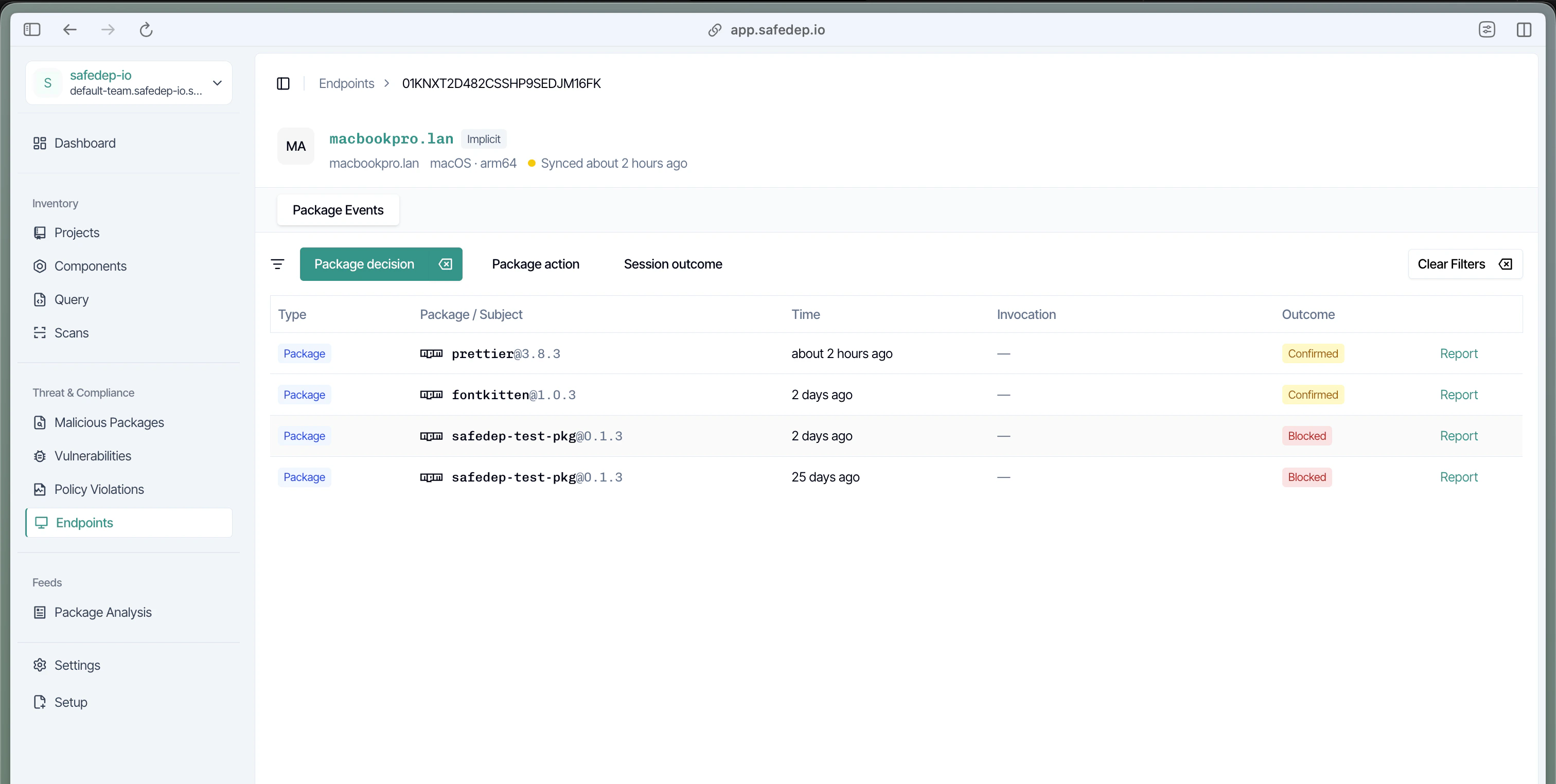
Next steps
PMG Quickstart
Install PMG and learn the basics