

vet uses the code analysis framework built on tree-sitter parsers. The framework supports multiple languages and source repositories (local and remote), and writes findings to a SQLite database that vet scan uses to enrich manifest analysis.
Build a Code Analysis Database
Build a SQLite database from your source code. The database is a prerequisite for code analysis features invet scan.
--lang to scan all supported languages.
Supported Languages
The code analysis framework supports these languages through tree-sitter parsers:- Python
- JavaScript/TypeScript
- Java
- Go
- And more…
Scan with Dependency Usage Analysis
Pass the database tovet scan via the --code flag. Dependency usage analysis is enabled by default when a code database is provided.
vet scan adds:
- Manifest Analysis: scans package manifests in the specified directory
- Usage Enrichment: enriches packages with dependency usage data from the database
- Evidence-Based Results: shows a scan summary with usage evidence and
used-in-codetags for packages confirmed as used in code
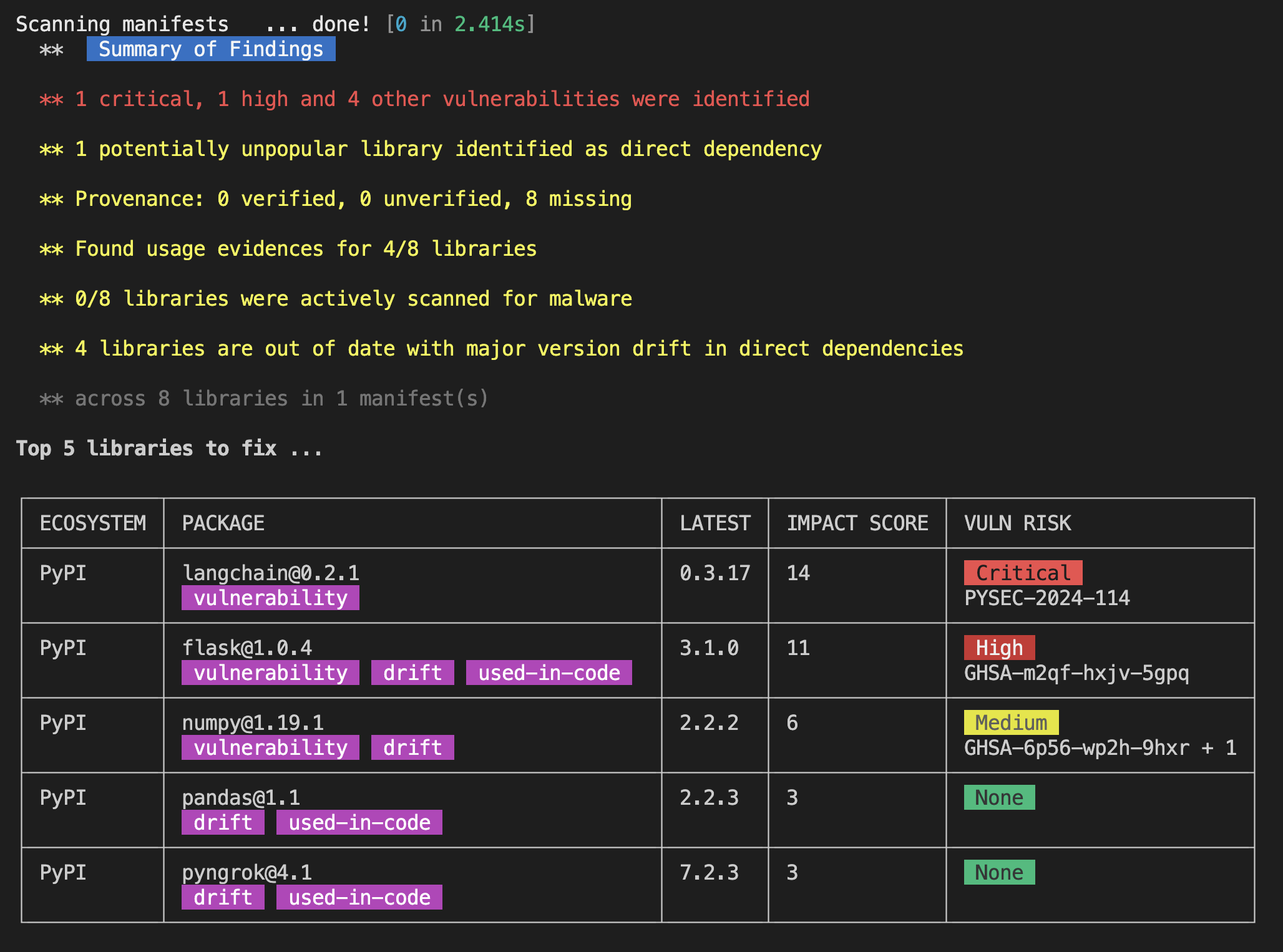
Practical Example
Full workflow for a Python project:1
Analyze Code
Build the code analysis database for your Python project:
2
Enhanced Scan
Run
vet scan with the code database:3
Review Results
Check the scan results for:
- Dependencies actually used in code vs. declared
- Unused dependencies that could be removed
- Usage patterns and import analysis
Advanced Usage
Multi-language Projects
For projects with multiple languages, omit the--lang flag:
Custom Database Locations
Organize databases by project or environment:Integration with CI/CD
Limitations
Experimental Status
Experimental Status
This feature is experimental and may have breaking changes. Test before using in production.
Performance Impact
Performance Impact
Code analysis adds processing time to scans. Weigh the accuracy benefit against the speed cost for your use case.
Storage Requirements
Storage Requirements
Code analysis databases can grow large for extensive codebases. Monitor disk usage and remove old databases periodically.
Code Framework
Learn more about the underlying code analysis framework
Tree-sitter
Understand the parsing technology behind code analysis
Dependency Usage Guide
See how to identify dependency usage in your code
Vet GitHub Repository
Access the main Vet documentation and examples