

xBom Repository
View the xBom source code and contribute on GitHub
Installation
Install xBom using one of the following methods: macOS & Linux (Homebrew):Generating Your First BOM
To generate a BOM for your source code, use thegenerate command:
/path/to/your/code with your project directory and /path/to/output/bom.cdx.json with your desired output path.
The output is an SBOM in CycloneDX v1.6 JSON format, including any AI components and other supported elements detected in the codebase.
Supported Languages
Currently,xbom supports the following programming languages:
We are continuously working to expand language support.
Supported BOM Types
xBom specializes in identifying a variety of components beyond traditional libraries.AI Components
xBom detects usage of AI SDKs and services, including:- LangChain
- Anthropic
- CrewAI
- OpenAI
Cloud Services
xBom also identifies integrations with major cloud platforms:- Google Cloud Platform (GCP)
- Microsoft Azure
To request support for a new AI framework or cloud service, please
create an issue on
our GitHub repository
HTML report
The primary output is a CycloneDX JSON file. xBom also prints a link to an interactive HTML report so you can browse the detected components in a browser.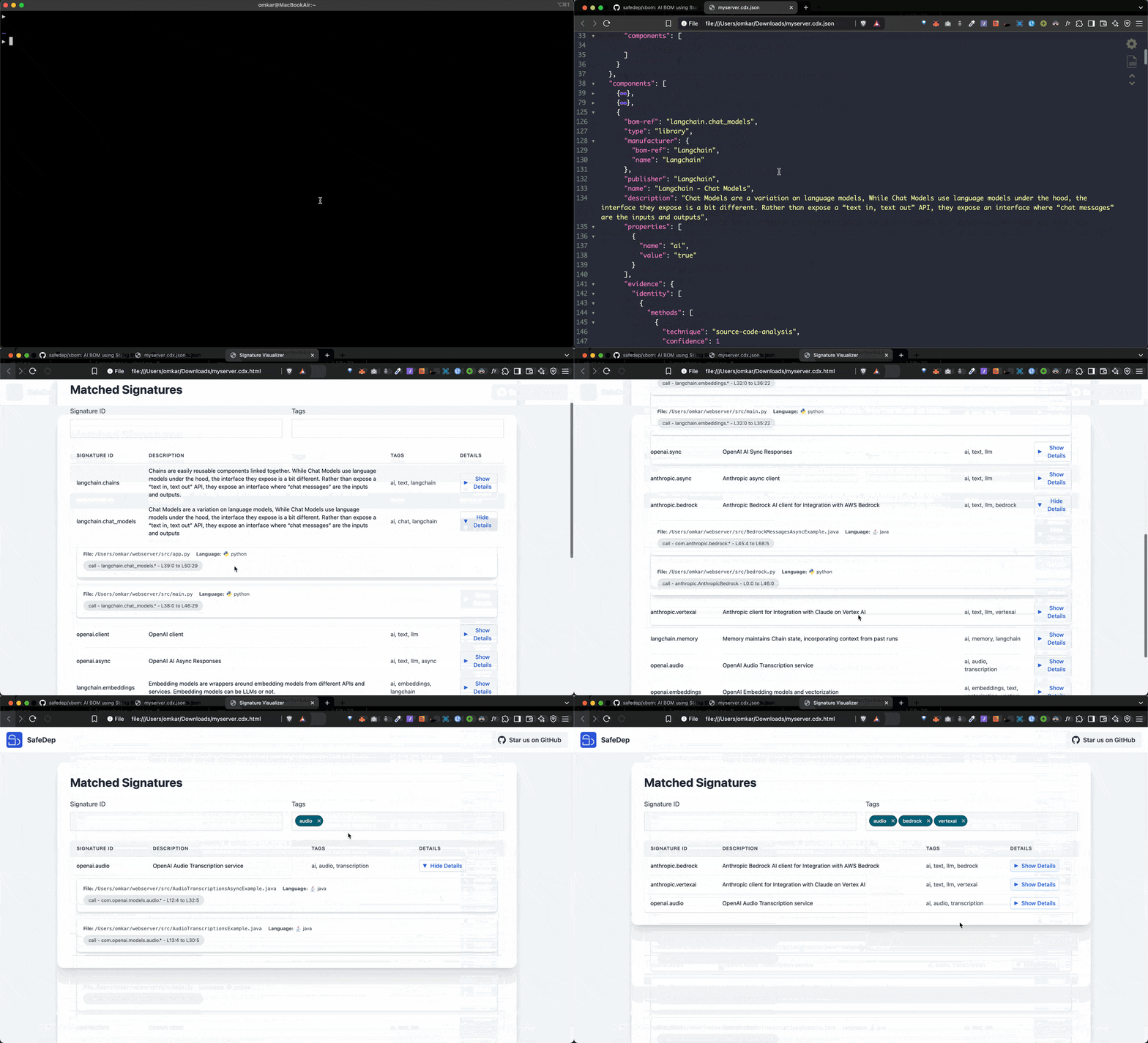
Limitations
Current focus (AI BOM generation):xbom is currently focused on AI BOM generation. It uses static code analysis to identify AI products, SaaS APIs, and similar non-library components in your codebase.
For full dependency SBOMs:
To generate an SBOM covering open-source library dependencies from manifest files, use Vet alongside xBom. vet specializes in dependency analysis and vulnerability management, and the two tools together cover more of the software supply chain.
Telemetry
Purpose:xbom collects anonymous usage telemetry to show which integrations and use cases are common, guiding what to build next. It collects no personally identifiable information or sensitive data.
How to disable:
Set the XBOM_DISABLE_TELEMETRY environment variable to true:
xBom
What xBom is and how it works.
What is an SBOM?
SBOM versus xBOM, explained.
CycloneDX SBOM
Generate a standard SBOM with Vet.
xBom on GitHub
Source and signature contributions.