

Prerequisites
- SafeDep CLI installed (install)
- JFrog instance with Xray enabled
- JFrog Xray scoped Access Token
- Optional, for blocking malicious packages on developer machines or CIs
- JFrog Xray Malware security
policyand repositorywatchwith a block action configured
- JFrog Xray Malware security
How It Works
1
Authenticate with SafeDep
2
Start the integration daemon
Output
3
Verify Blocking
Assumes a Malicious Package blocking policy and watch configured for the target repository (e.g.
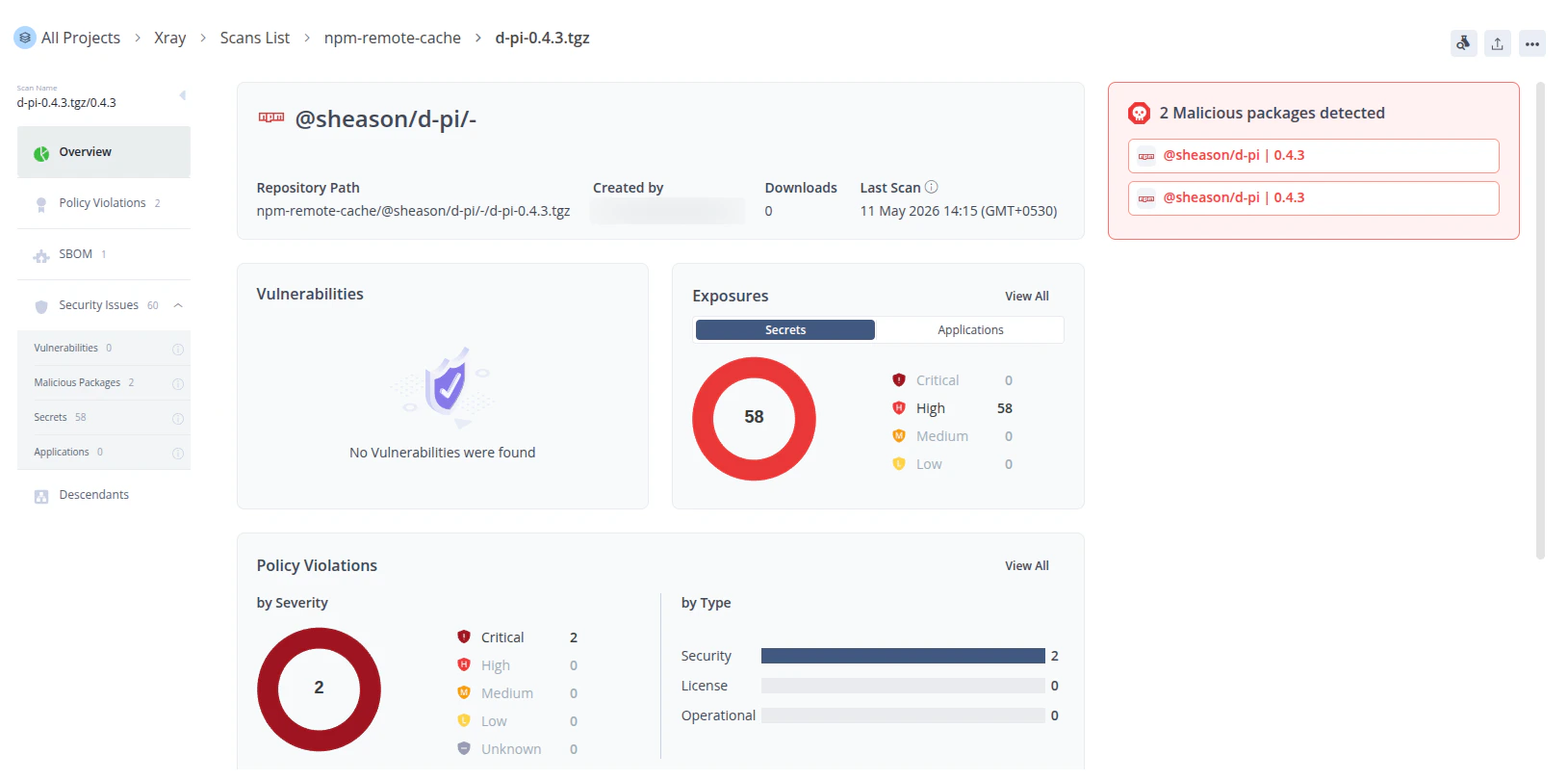
npm-remote).jf npm install triggers Xray to index @sheason/[email protected]. If SafeDep has flagged that package as malicious, Xray raises a policy violation and blocks the download.Install Output
Limitations
Malicious Packages Blocking
npm and other package managers cache packages locally on developer machines. If a developer installs a package before SafeDep flags it, the cached copy remains accessible even after the integration pushes it to Xray.
Running npm cache clean --force removes the cached copy, but it clears the entire local cache and forces a full re-download of all packages.
Configuration
CLI Flags
*Required unless the corresponding environment variable is set.
Environment Variables
For server deployments or CI pipelines, use environment variables to avoid passing secrets as CLI flags. When both are set, flags take precedence.
Example: environment variable setup
Package Security
Block malicious packages at install time and in CI/CD.
PMG
Block malicious installs on the developer machine.
Malicious Package
How SafeDep detects malicious packages.
SafeDep Cloud
Centralize policy and visibility across your org.