

This guide needs the SafeDep Cloud Team or Enterprise plan. See pricing.
Prerequisites
- PMG runs in your pipelines and syncs to your tenant:
- In GitHub Actions, set the
api-keyandtenant-idinputs of the PMG action. See PMG in GitHub Actions. - In other CI systems, run
pmg cloud syncat the end of the job. See Package Guard. To find these jobs later, setPMG_CLOUD_ENDPOINT_IDas shown in Other CI systems.
- In GitHub Actions, set the
Review one pipeline
1
Open the endpoint list
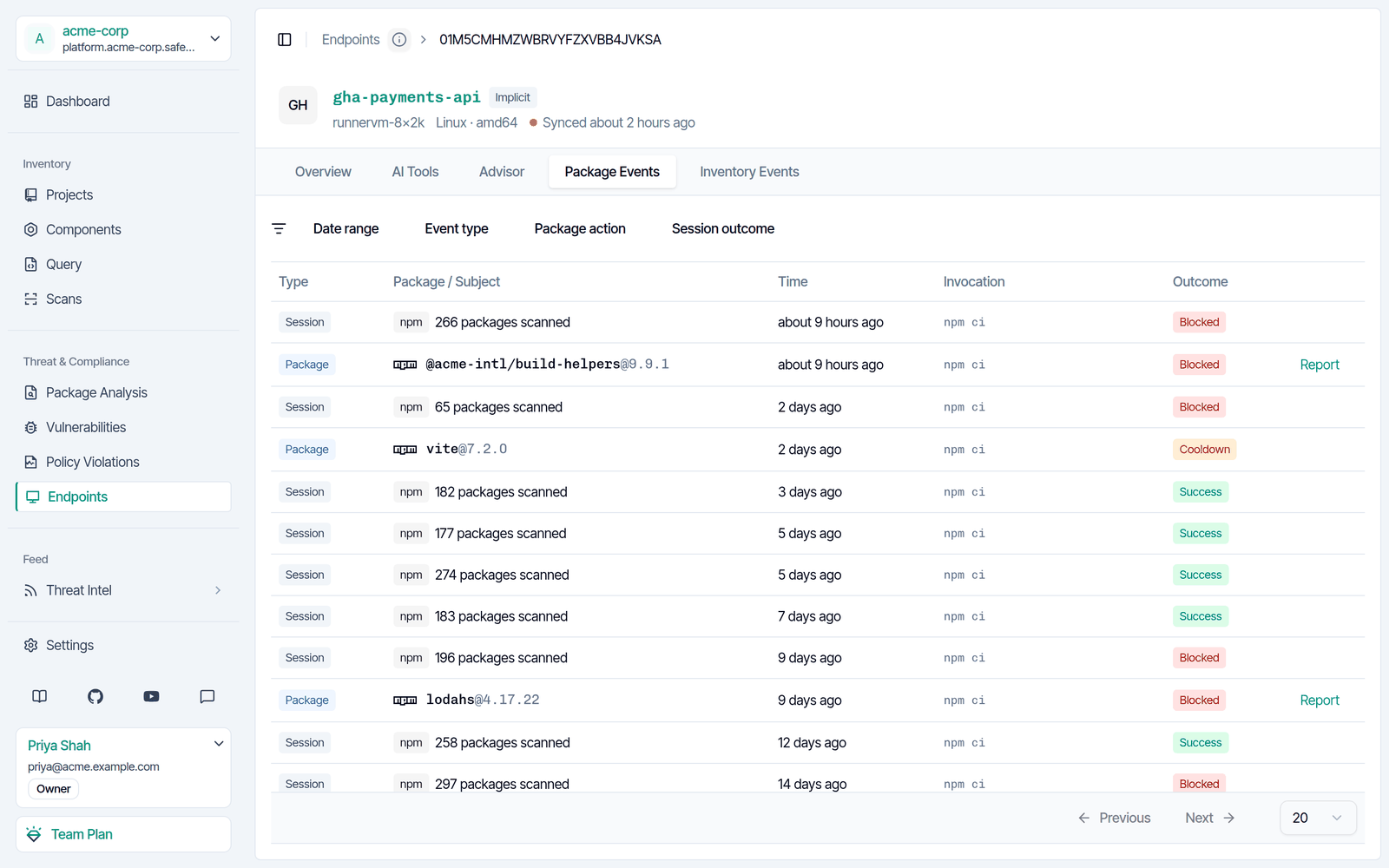
Sign in to app.safedep.io and select Endpoints. In GitHub Actions, each repository is one endpoint by default. Set the
endpoint-id input of the PMG action to change it.2
Open the endpoint
Select the endpoint, then select Package Events. Each session shows the install command and its outcome, such as Blocked or Success. Each package row shows its action, such as Blocked or Cooldown.
3
Filter the events
Use Package action or Session outcome to show only the blocks.
Review all pipelines
PMG records the CI provider for GitHub Actions jobs. This query lists the malicious package blocks and the cooldown holds in all GitHub Actions jobs:safedep query exec --sql-file.
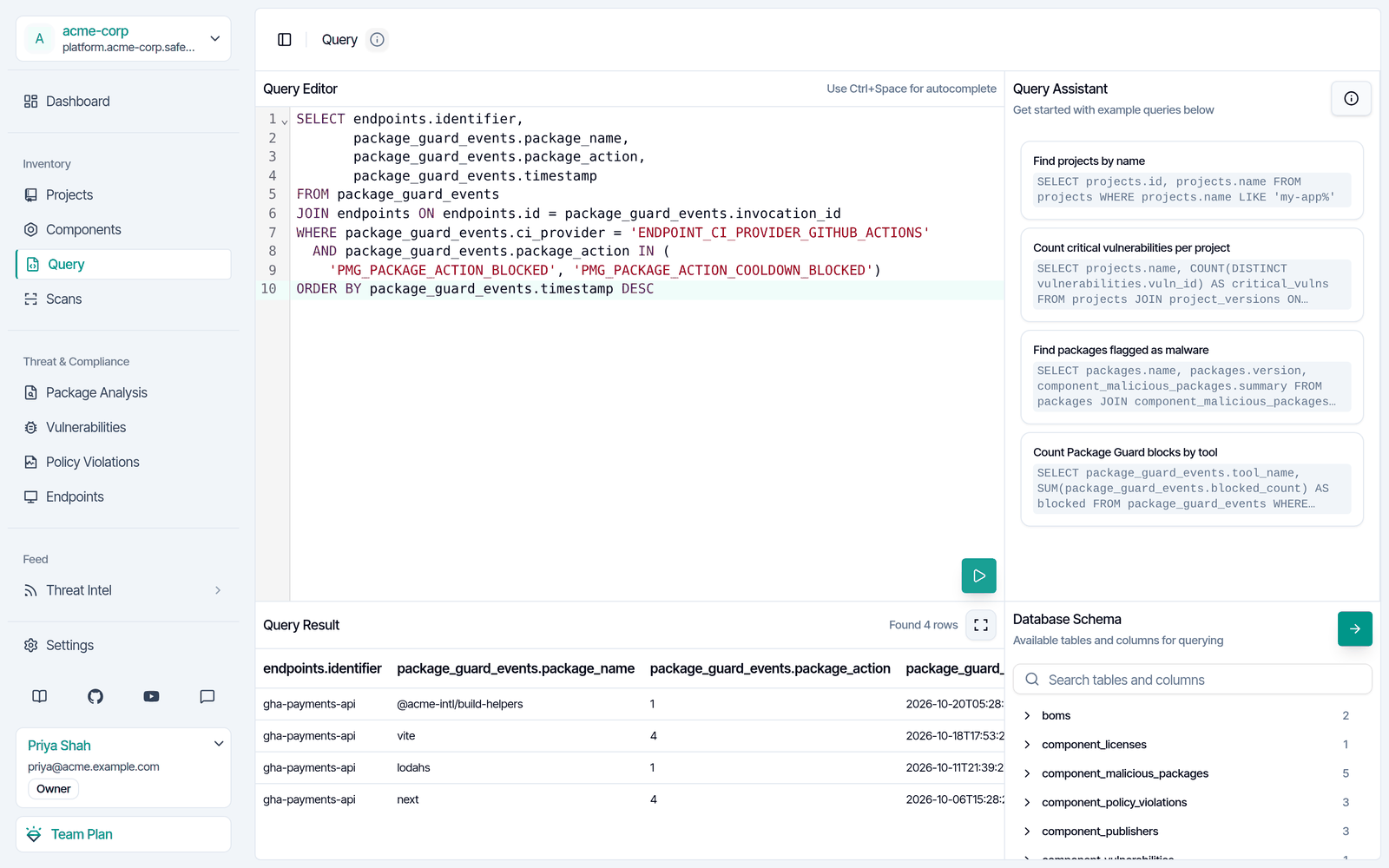
package_action, 1 is a malicious package block and 4 is a cooldown hold.
Other CI systems
PMG does not record the CI provider for other CI systems. To group their events, give each CI endpoint an ID with a common prefix. In the job, setPMG_CLOUD_ENDPOINT_ID, for example to ci-jenkins-payments. Then filter on the prefix:
Next steps
Send Alerts from SafeDep Cloud
Send each new block to Slack or a webhook.
Find Where a Malicious Package Reached Your Organization
Find the endpoints and projects that a malicious package reached.