

This guide needs the SafeDep Cloud Team or Enterprise plan. See pricing.
Prerequisites
- PMG syncs to your tenant from developer machines and CI runners. See Package Guard.
- Vet scans sync to your tenant. See Cloud Sync.
- To run the queries from a terminal, sign in to the
safedepCLI. See the SafeDep Cloud Quickstart.
See recent blocks
1
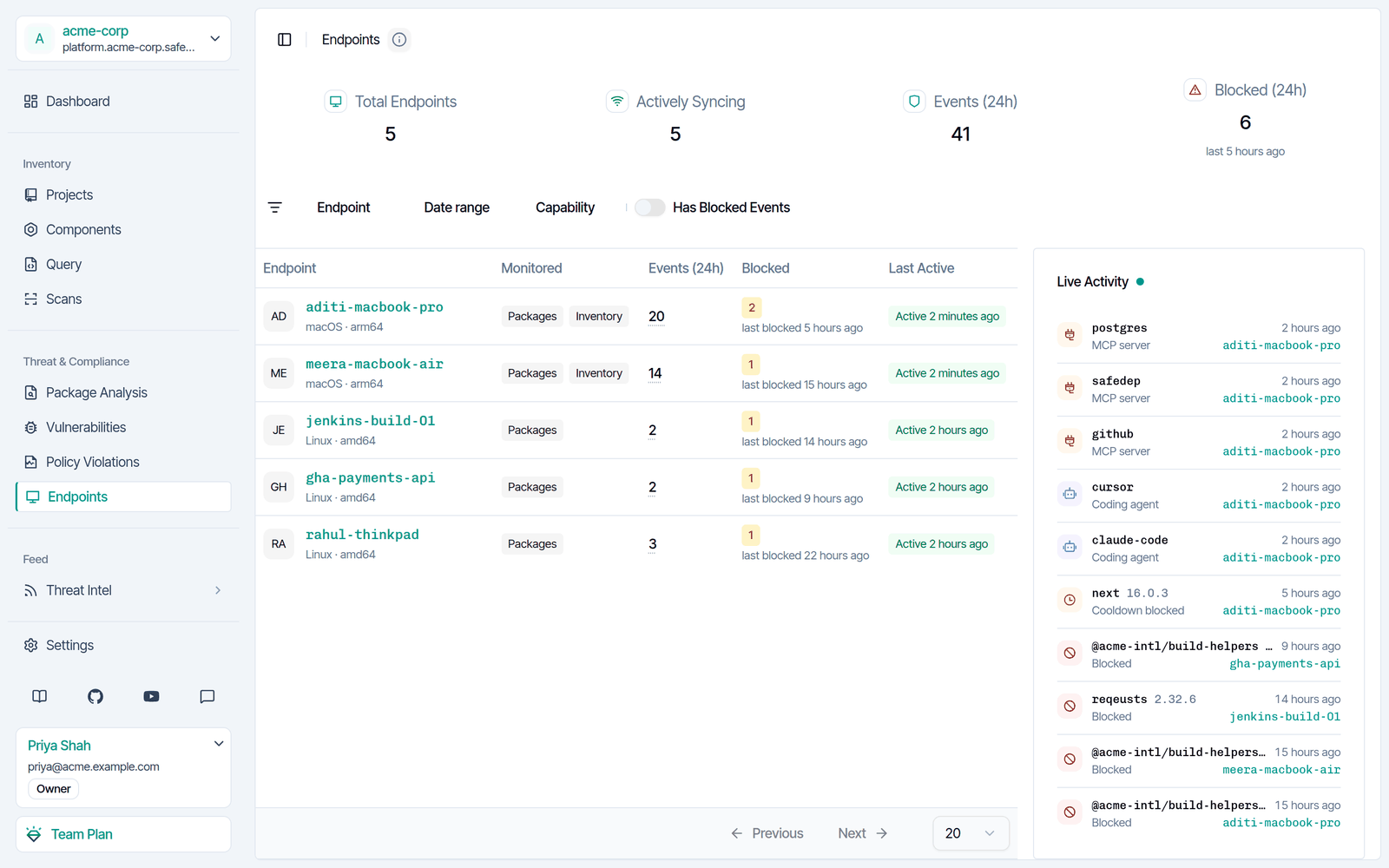
Open the endpoint list
Sign in to app.safedep.io and select Endpoints.
2
Show only endpoints with a block
Turn on Has Blocked Events. The Live Activity panel shows recent events, blocks included, and the endpoint of each event.
3
Open an endpoint
Select the endpoint, then select Package Events. Each blocked package has a Report link to the analysis of the package.
Find every endpoint that tried to install the package
Select Query in the sidebar and run this query. ReplaceECOSYSTEM_PYPI and reqeusts with the ecosystem and the name of the package. The query also finds the installs that a user confirmed after PMG flagged the package.
blocked.sql and run safedep query exec --sql-file blocked.sql.
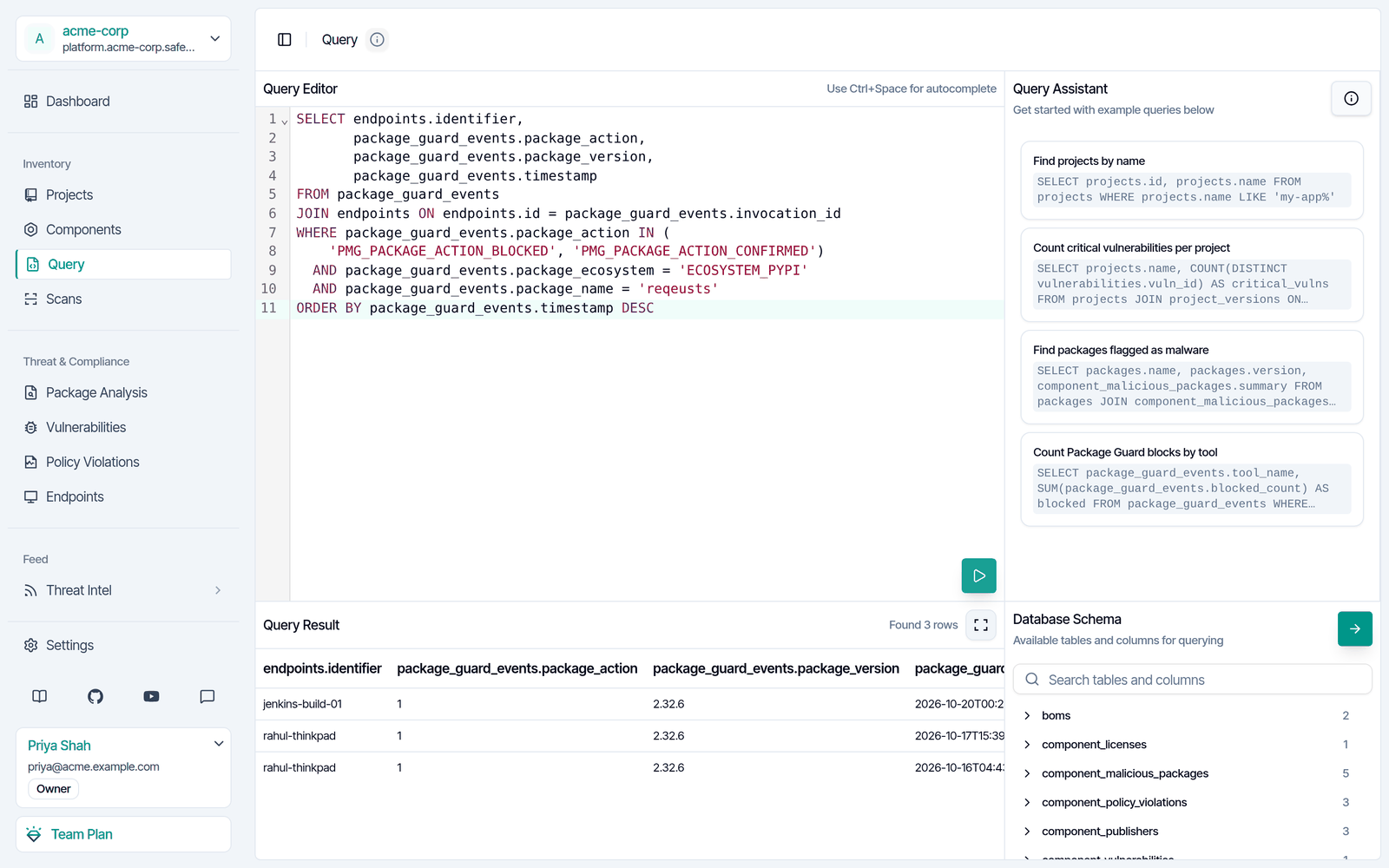
package_action column, 1 is a block and 2 is an install that a user confirmed.
PMG records an event when it blocks, holds back, or trusts a package, and when a user confirms the install of a flagged package. It does not record an event for each package that it allows. An install that happened before SafeDep flagged the package does not show here. To find those, check your projects.
Find every project that depends on the package
Filter on the ecosystem, the name, and each malicious version. A name alone also matches safe versions, and packages with the same name in other ecosystems.Next steps
Send Alerts from SafeDep Cloud
Send each new block to Slack or a webhook.
Review Package Blocks Across CI Pipelines
See what PMG blocked on your CI runners.