

Malware analysis is available for free. No API key is required to query SafeDep’s known malicious packages database. See pricing for SafeDep Cloud features.
This page covers the fast path: a free lookup against SafeDep’s database of known malicious packages, built into Vet, PMG, and the SafeDep MCP server. It answers in milliseconds but only covers packages SafeDep has already analyzed. To run a new analysis of a specific component (any package version, an IDE extension, or a GitHub repository), use On-Demand Package Scanning, an independent paid feature. Vet itself no longer submits packages for analysis. On-demand scanning moved to
safedep package scan.Supported Ecosystems
npm
JavaScript and TypeScript packages
PyPI
Python packages and wheels
Go Modules
Go language modules
RubyGems
Ruby packages and gems
GitHub Actions
GitHub Action workflows
VS Code Extensions
Visual Studio Code extensions
Requirements
Install the latest version of Vet.No API key is required. Querying known malicious packages works out of the box, with no SafeDep Cloud onboarding. A SafeDep Cloud account is optional and enables cloud features such as report sync and higher rate limits. See the SafeDep Cloud Quickstart.
Repository Scanning
Basic Malware Scanning
Enable malware analysis with the--malware-query flag:
The
--malware flag is a deprecated alias for --malware-query and behaves identically. It will be removed in a future release.Specific Manifest Scanning
Scan individual package manifest files:PURL-Based Scanning
Scan specific packages using Package URLs: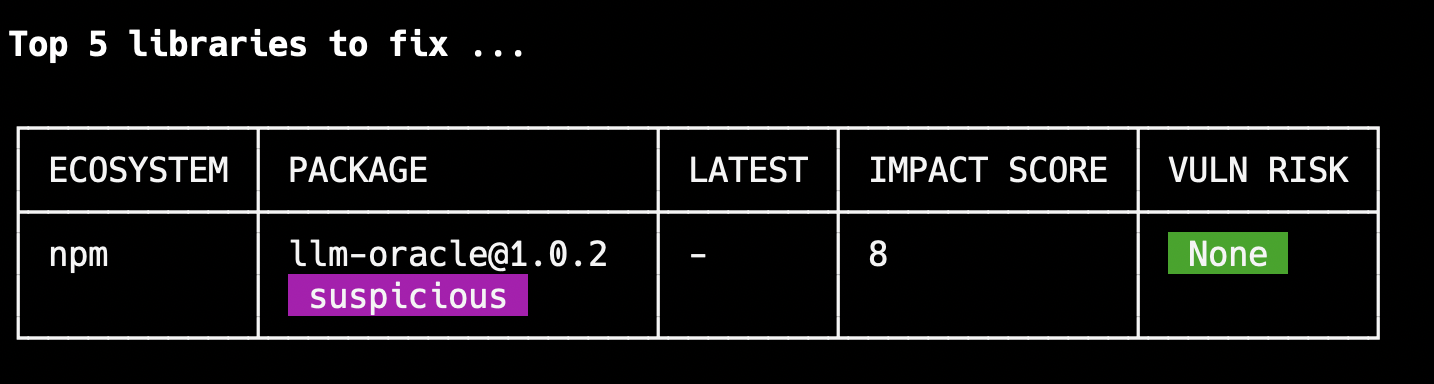
Visual Studio Code Extensions
Scan locally installed VS Code extensions:GitHub Actions Integration
vet-action
Enable malicious package protection in GitHub repositories using vet-action:Known malicious package detection does not require an API key. SafeDep Cloud configuration (
cloud, cloud-key, cloud-tenant) is optional and only enables cloud reporting and sync. See the vet-action documentation for cloud mode.Pull Request Integration
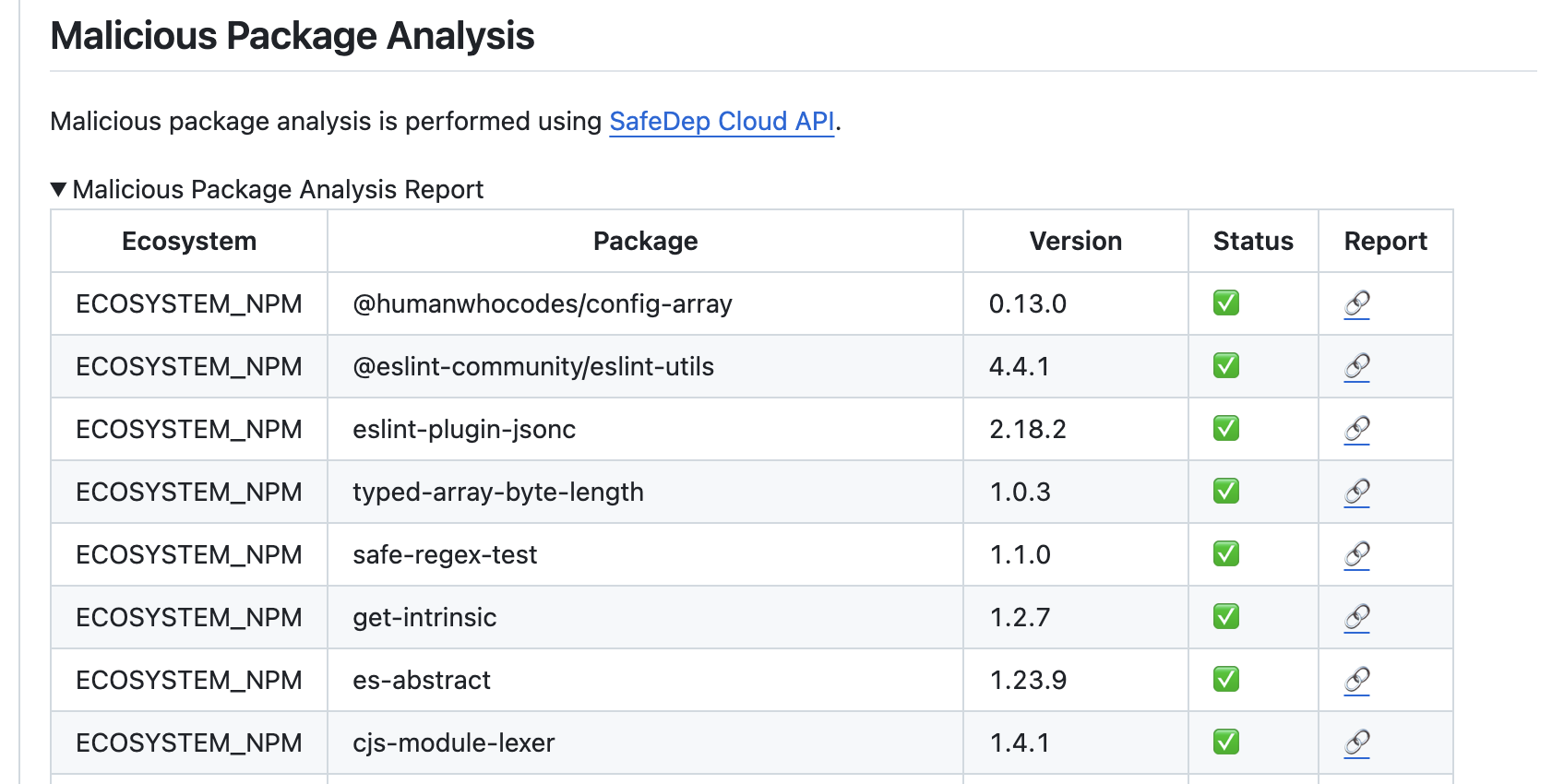
When enabled, Vet scans changed packages for malware and provides results directly in pull requests: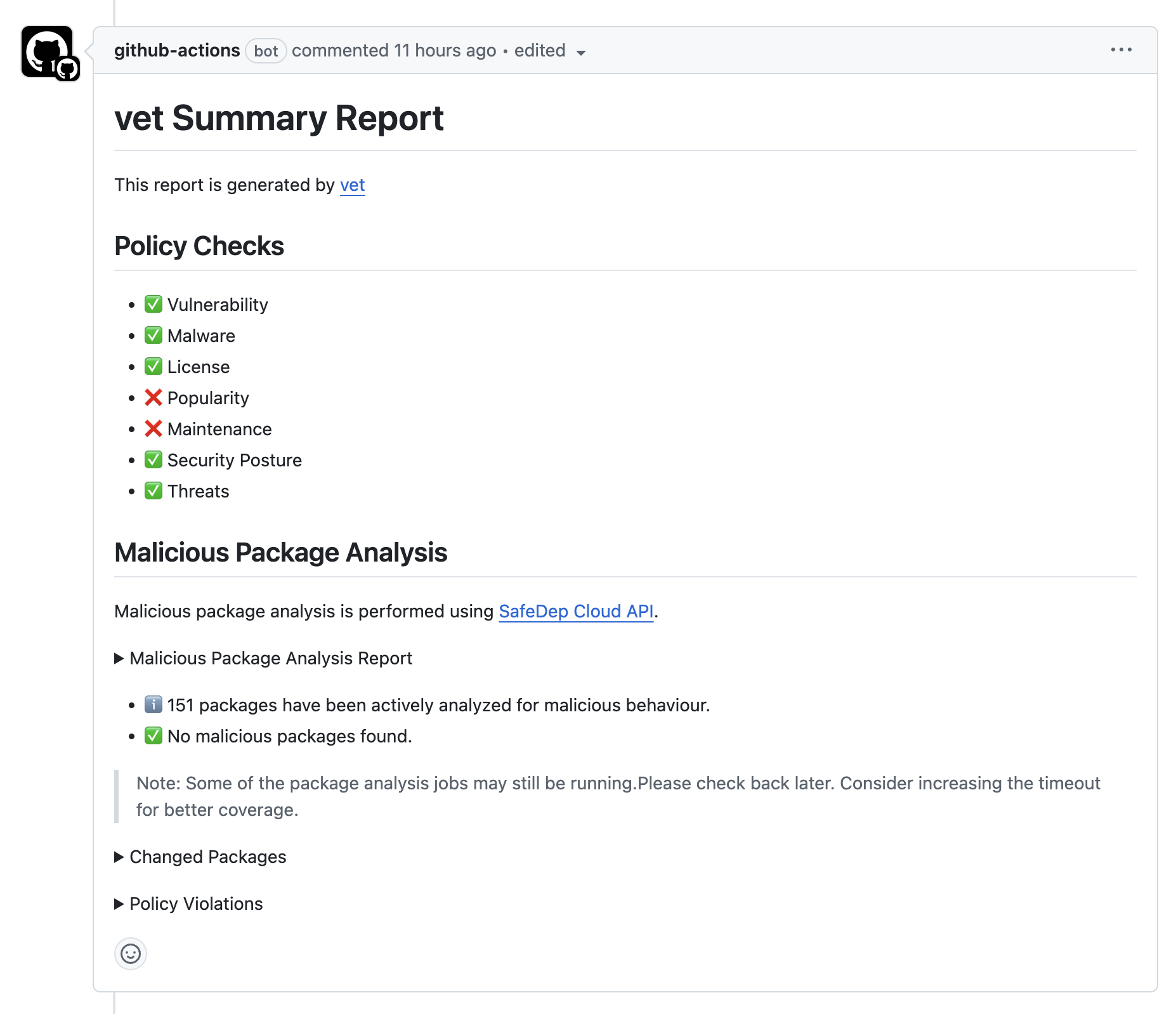
Understanding Results
Classification Levels
- SAFE: No malicious behavior detected
- SUSPICIOUS: Potentially risky patterns identified
- MALICIOUS: Confirmed malicious behavior found
How Packages Are Analyzed
SafeDep continuously analyzes packages from public registries and records the results in its known malicious packages database. Vet queries this database during a scan. The analysis behind these records combines:Static Analysis
Static Analysis
- Code pattern analysis
- Suspicious function detection
- Obfuscation identification
Behavioral Analysis
Behavioral Analysis
- Network communication patterns
- File system access patterns
- Process execution analysis
Metadata Analysis
Metadata Analysis
- Package metadata anomalies
- Publisher reputation analysis
- Distribution pattern analysis
CI/CD Integration Examples
GitLab CI
Jenkins Pipeline
Troubleshooting
Legitimate packages are flagged
Legitimate packages are flagged
- Review the analysis details
- Contact SafeDep support with the package details
- Use exceptions management for temporary overrides
A package is not flagged as malicious
A package is not flagged as malicious
- Only packages already present in SafeDep’s known malicious packages database are reported. Packages not yet analyzed are not flagged.
- Ensure you are using the latest version of Vet
- Check network connectivity to SafeDep Cloud
On-Demand Package Scanning
Run an on-demand analysis of a package, IDE extension, or GitHub repository not yet in the database
vet-action Documentation
Complete GitHub Actions integration guide
SafeDep Cloud Setup
Optional cloud features such as report sync and higher rate limits
Report Issues
Report bugs or request features for malware analysis