

vet exports policy violation reports as SARIF for upload to GitHub Code Scanning.
Quick Setup with GitHub Action
vet has a dedicated GitHub Action, which is the recommended approach for most teams.
Basic Configuration
Create.github/workflows/vet.yml in your repository:
SARIF reports work when you enable GitHub Code Scanning in your repository. Learn more
Advanced Configuration
To use a custom policy:Manual SARIF Generation
To generate a SARIF report using thevet CLI:
By default the SARIF report includes vulnerabilities and malware findings. To also report policy violations, pass a policy with
--policy or --policy-suite during the scan.Viewing Results
Once uploaded, policy violations appear in the GitHub Security tab, giving a centralized view across repositories.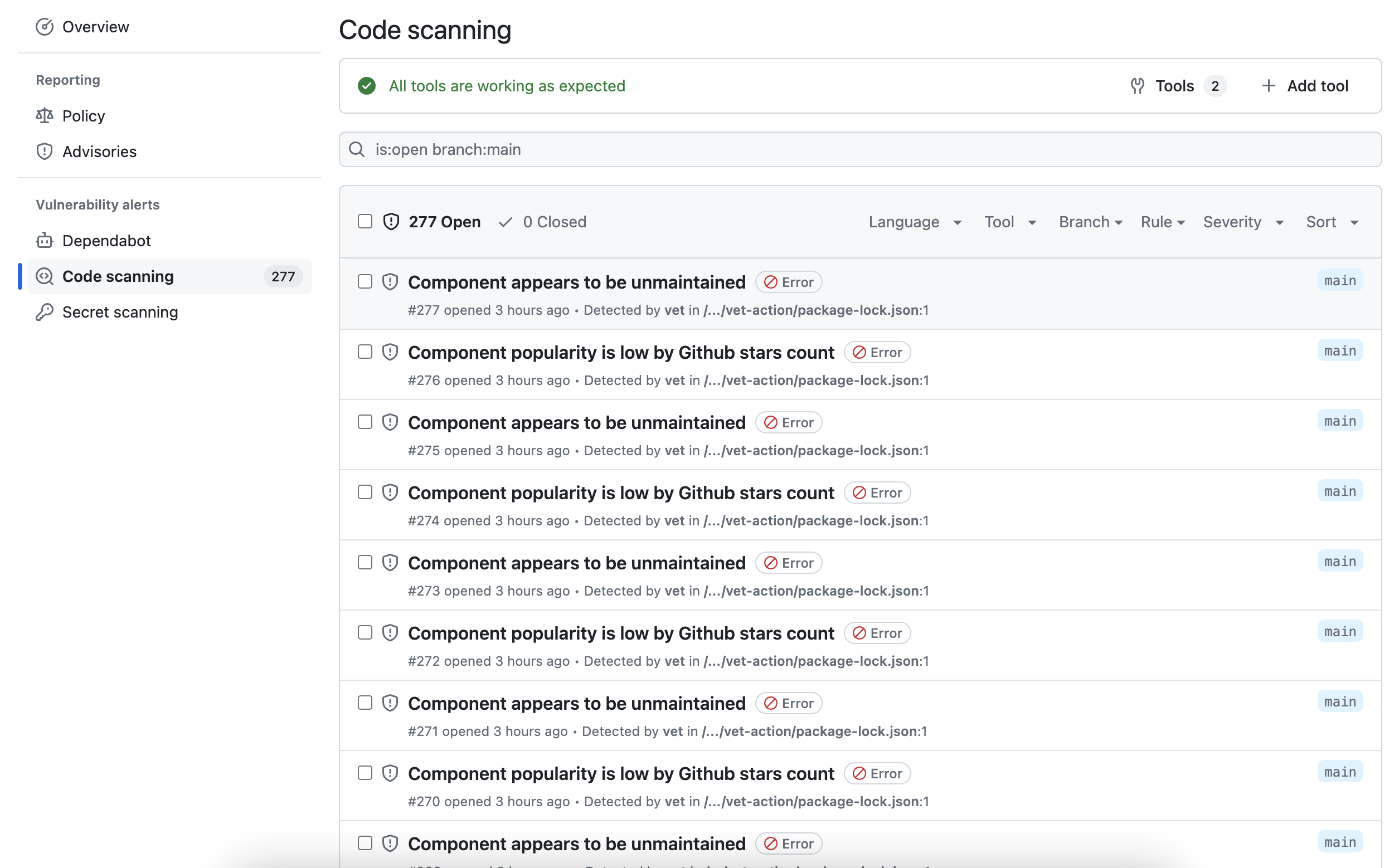
Pull Request Integration
The GitHub Action adds a comment to pull requests when security issues are found: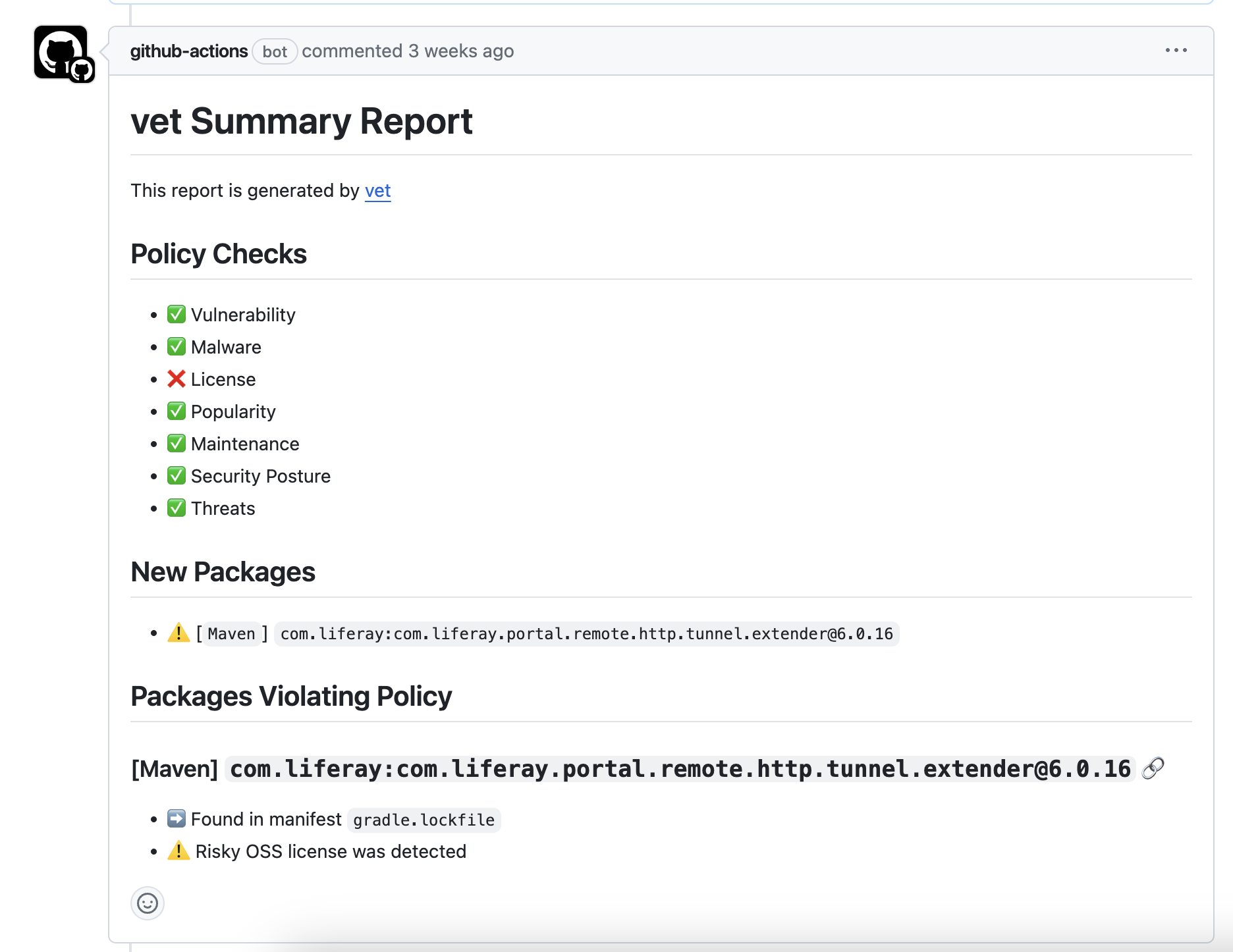
Best Practices
Pin third-party actions to commit SHAs
Pin third-party actions to commit SHAs
For production workflows, pin third-party GitHub Actions to a full commit SHA rather than a mutable tag. This protects against tag-moving attacks, where a compromised upstream action could inject malicious code.The actions/checkout and github/codeql-action release pages list the commit SHA for each release.
safedep/vet-action uses semantic versioning tags maintained directly by SafeDep.Troubleshooting
SARIF Upload Fails
SARIF Upload Fails
Ensure the
security-events: write permission is set in your workflow file and that Code Scanning is enabled for your repository.No Violations Reported
No Violations Reported
Check that your policy configuration is correct and that violations actually exist. Use
--report-json locally to debug.vet-action Repository
View the complete documentation and examples
Full Example Workflow
See a complete GitHub Actions workflow example