

Prerequisites
- SafeDep CLI installed (install)
- JFrog instance with Xray enabled
- JFrog Xray scoped Access Token
- Optional, for blocking malicious packages on developer machines or CIs
- JFrog Xray Malware security
policyand repositorywatchwith a block action configured
- JFrog Xray Malware security
How It Works
Start the integration daemon
Output
Verify Blocking
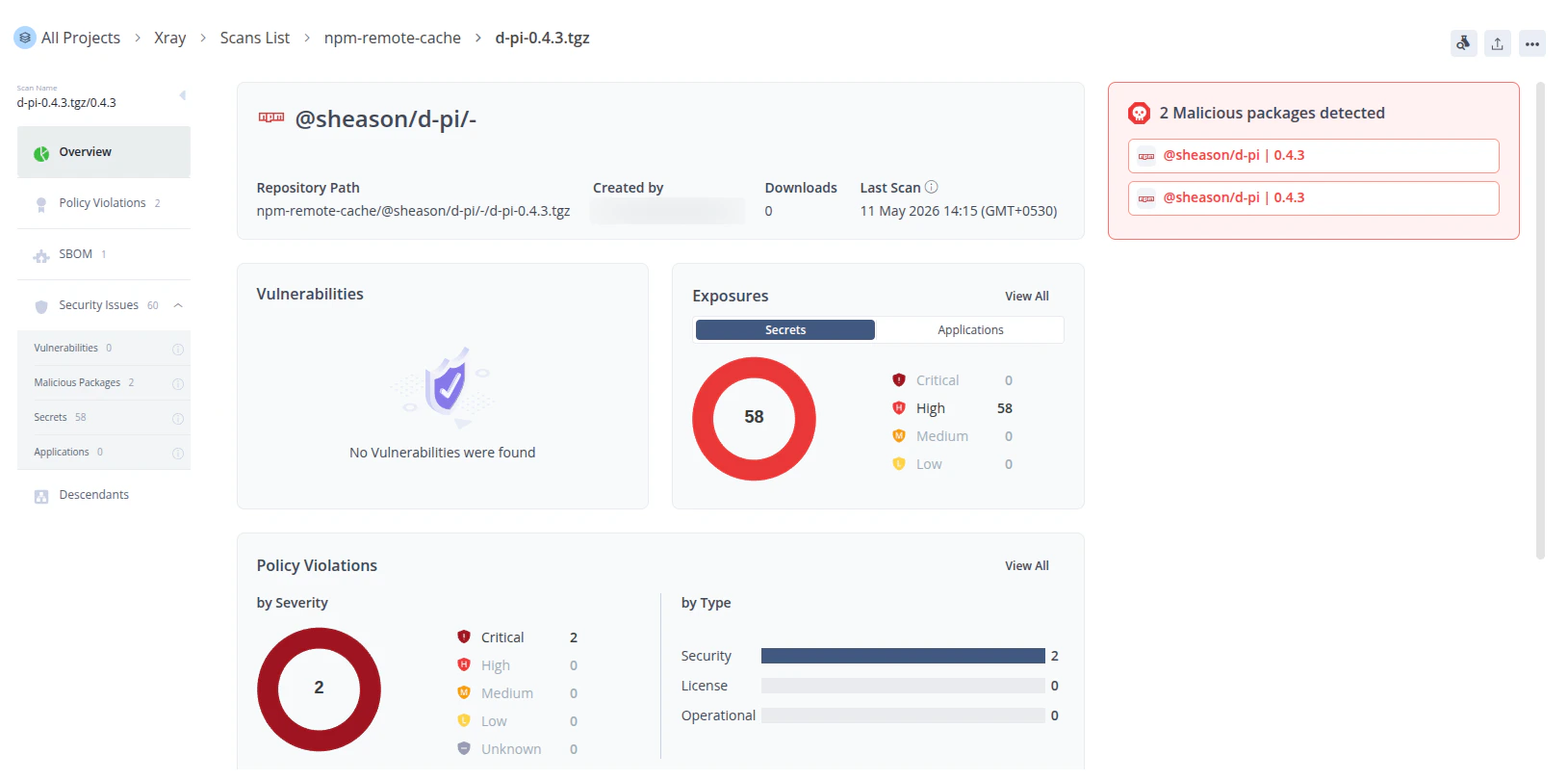
Assumes a Malicious Package blocking policy and watch configured for the target repository (e.g.
npm-remote).jf npm install triggers Xray to index @sheason/[email protected]. If SafeDep has flagged that package as malicious, Xray raises a policy violation and blocks the download.Install Output
Limitations
Malicious Packages Blocking
npm and other package managers cache packages locally on developer machines. If a developer installs a package before SafeDep flags it, the cached copy remains accessible even after the integration pushes it to Xray.
Running npm cache clean --force removes the cached copy, but it clears the entire local cache and forces a full re-download of all packages.
Configuration
CLI Flags
| Flag | Required | Default | Description |
|---|---|---|---|
--instance-url | Yes* | None | JFrog instance base URL. Must use https://. |
--instance-access-token | Yes* | None | JFrog access token scoped to Xray. |
--poll-interval | No | 60s | Duration between poll cycles (30s, 5m, 1h). |
--profile | No | "default" | SafeDep credential profile. |
Environment Variables
For server deployments or CI pipelines, use environment variables to avoid passing secrets as CLI flags. When both are set, flags take precedence.| Variable | Corresponding Flag |
|---|---|
SAFEDEP_INTEGRATION_JFROG_ARTIFACTORY_URL | --instance-url |
SAFEDEP_INTEGRATION_JFROG_ARTIFACTORY_ACCESS_TOKEN | --instance-access-token |
Package Security
Block malicious packages at install time and in CI/CD.
PMG
Block malicious installs on the developer machine.
Malicious Package
How SafeDep detects malicious packages.
SafeDep Cloud
Centralize policy and visibility across your org.