

vet endpoint scan, which runs locally to discover AI tools, Agent Skills, MCP servers, coding agents, and IDE extensions, then delivers them to SafeDep Cloud when credentials are configured.
Prerequisites
vetinstalled- A SafeDep Cloud account with an API key and tenant domain (see Cloud quickstart)
Enable inventory sync
1
Configure SafeDep credentials
Run the interactive auth setup, passing your tenant domain as a flag:The tenant domain looks like Verify credentials are working:A successful response means Vet can reach SafeDep Cloud. If verification fails, check that your API key and tenant domain are correct.
your-team.your-org.safedep.io and is shown on your SafeDep Cloud settings page. You will be prompted to enter your API key interactively.Alternatively, set environment variables:2
Run an endpoint scan
Example output
vet endpoint scan delivers discovered items to SafeDep Cloud in the background. The command waits up to 30 seconds for delivery; if the timeout is reached, any undelivered items are retried automatically on the next run.3
View inventory in SafeDep Cloud
Open app.safedep.io, select Endpoint Hub in the sidebar, and pick your endpoint. Your endpoint appears in the list by your machine’s hostname. Open the Inventory tab to see discovered items.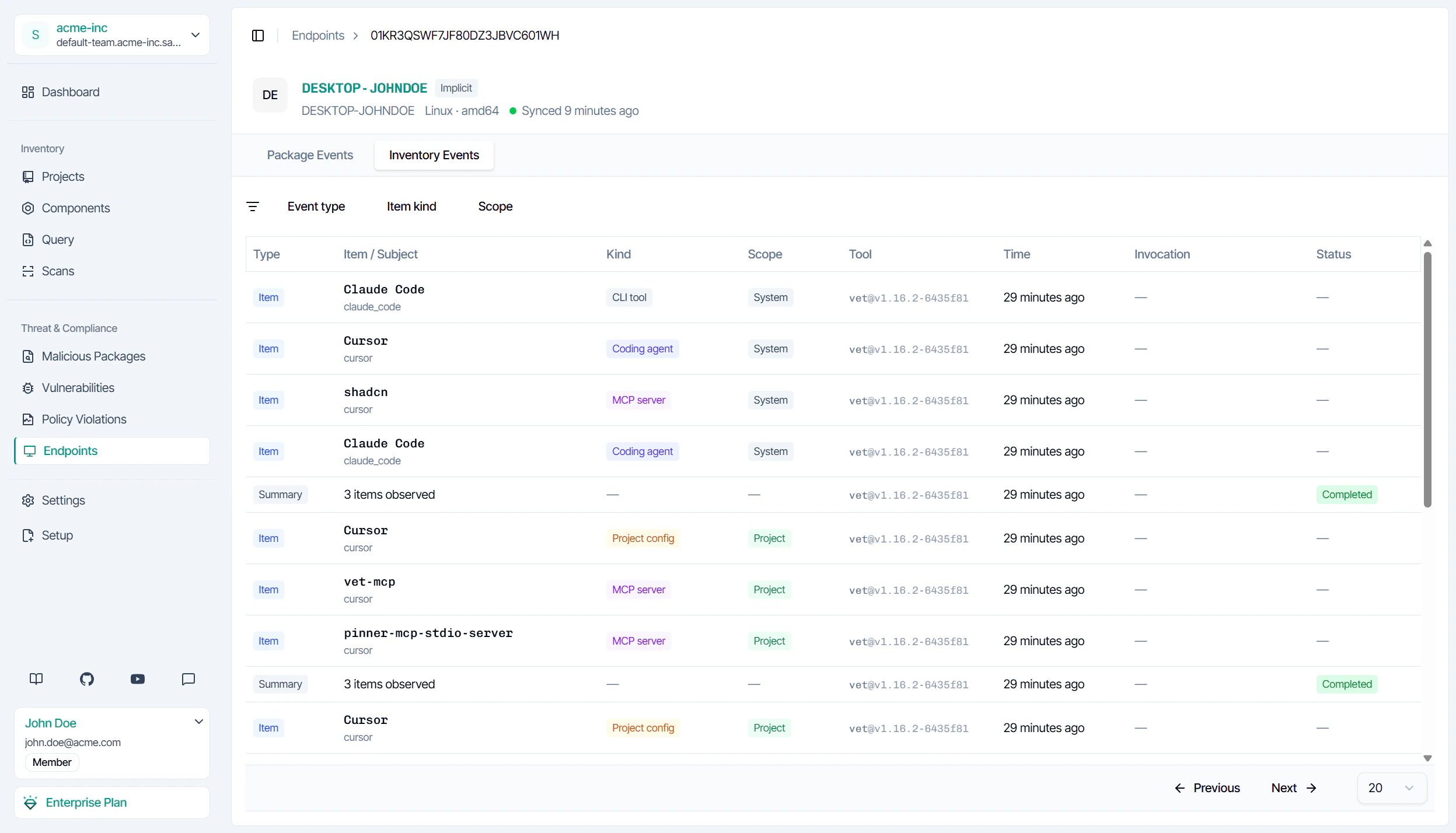
Common scan options
- Project scope only:
vet endpoint scan --scope project -D /path/to/repo: limits discovery to project-level configs (e.g..mcp.json,CLAUDE.md). - System scope only:
vet endpoint scan --scope system: skips project configs; faster on large repositories. - AI tools only:
vet endpoint scan --kind ai-tool: discovers coding agents, MCP servers, CLI tools, IDE extensions, and project config files; skips skill directories. - Agent skills only:
vet endpoint scan --kind agent-skill: discovers agent skill directories only. - JSON report:
vet endpoint scan --report-json inventory.json: writes a local file in addition to syncing. - CI/CD: Set
SAFEDEP_API_KEYandSAFEDEP_TENANT_IDas pipeline secrets. Ephemeral runners (e.g. GitHub-hosted) register as a new endpoint per run; self-hosted runners on a persistent host update the same endpoint. - Suppress table output:
vet endpoint scan --silent: runs and syncs without printing the local table.
Review AI tools across your team
Open an endpoint in Endpoints and select AI Tools. The tab lists the coding agents, MCP servers, and other AI tools from the last scan.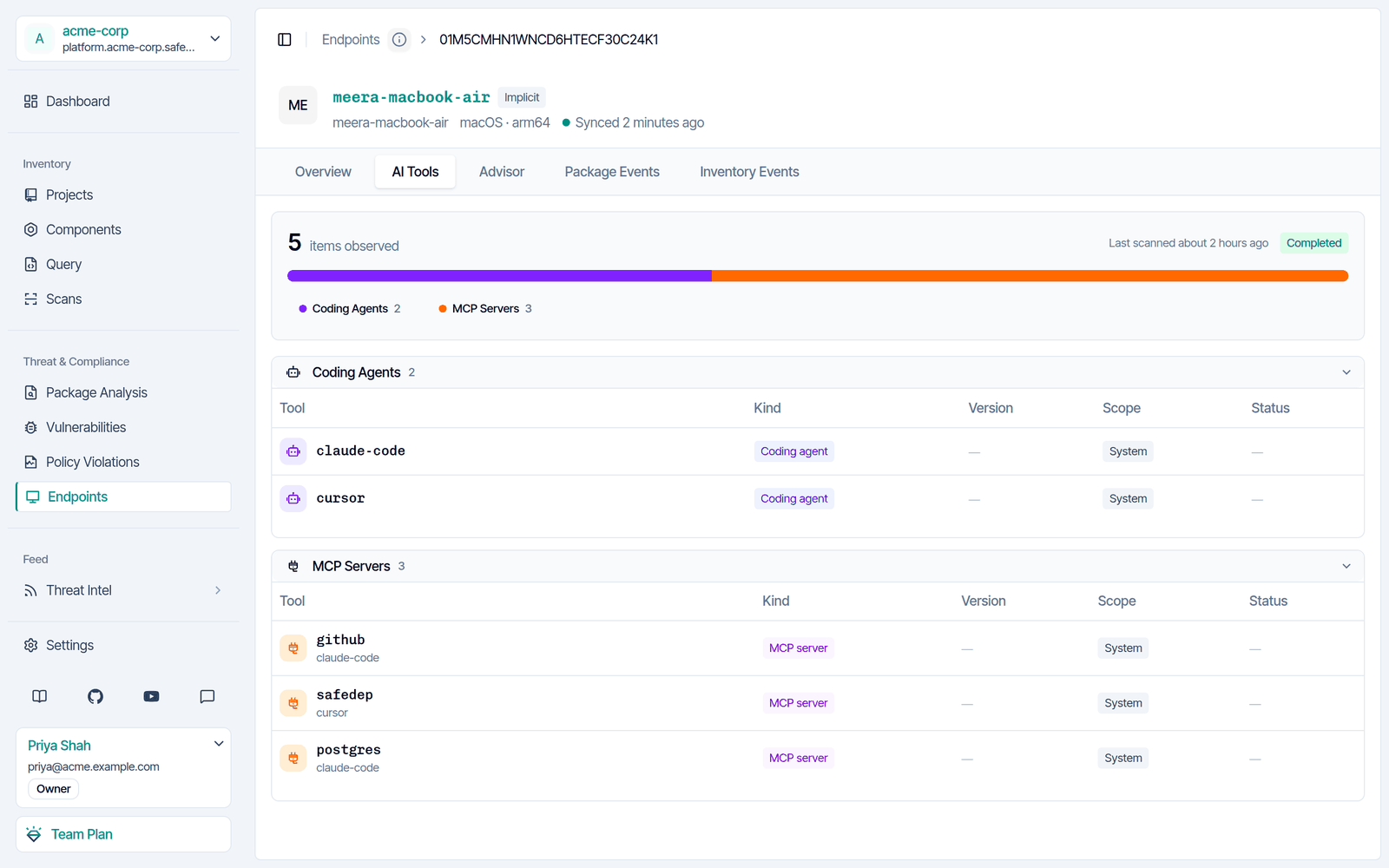
Endpoint Hub and SQL queries need the SafeDep Cloud Team or Enterprise plan. See pricing.
Next steps
AI Tools Discovery
Learn what gets discovered and how scopes work
Package Guard
Track package installs across your endpoints